ugee Funbox 3D Printer Review: Is It Right for Kids?
Introducing young minds to the world of 3D printing can spark incredible creativity and valuable STEM skills. However, finding a 3D printer that is genuinely safe, easy to operate, and robust enough for children can be a challenge. Many consumer-grade printers require intricate calibration, exposure to hot components, or complex software, making them unsuitable for younger users.
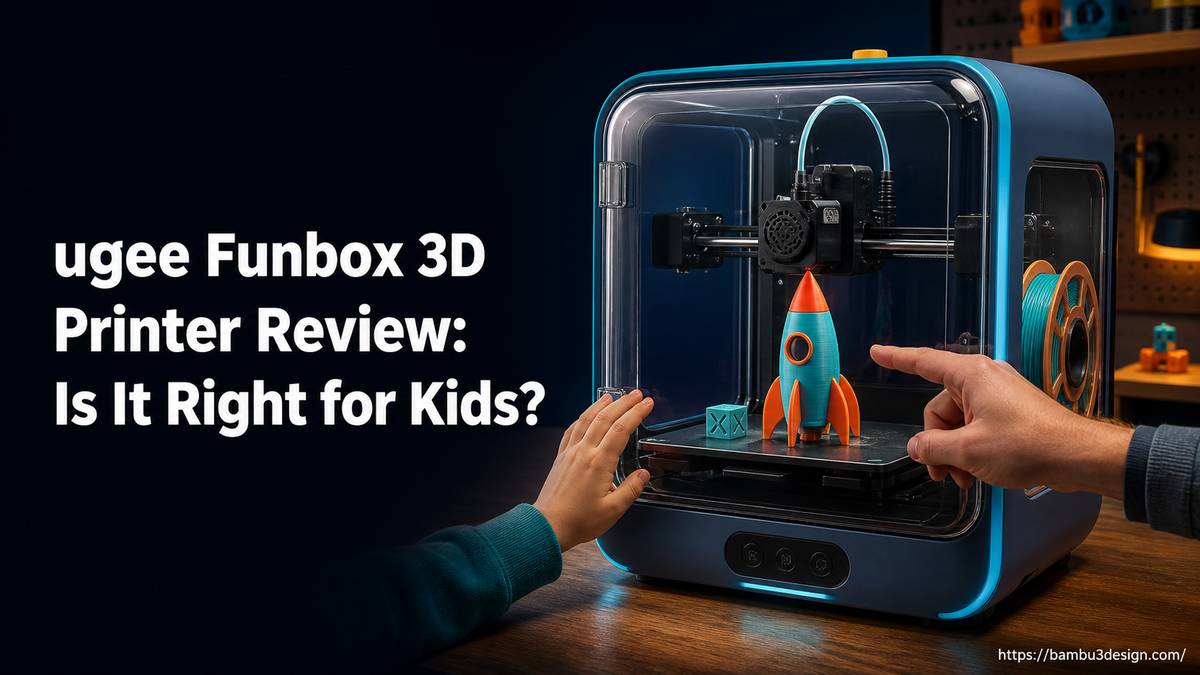
This is where specialized child-friendly 3D printers, like the ugee Funbox, aim to fill a critical gap. The ugee Funbox is positioned as a desktop 3D printer specifically “built for children, trusted by parents.” But does it deliver on this promise? This detailed review explores its features, performance, and suitability for aspiring young makers.
What is the ugee Funbox 3D Printer?
Ugee, a company primarily known for its digital drawing tablets and monitors, has expanded its product line into 3D printing with the Funbox. The ugee Funbox is an FDM (Fused Deposition Modeling) 3D printer designed from the ground up to be accessible and safe for children as young as six years old.
Its core philosophy revolves around simplifying the 3D printing process, minimizing potential hazards, and providing an intuitive user experience. The goal is to allow children to engage directly with the printing process, fostering independence and a deeper understanding of technology, with minimal adult intervention.
Key Features and Specifications
The Funbox differentiates itself through several design choices that prioritize user experience and safety for its intended demographic.
Designed for Young Makers
- Fully Enclosed Design: The printer features a completely enclosed print chamber, which serves multiple safety functions. It prevents accidental contact with the hot nozzle and moving parts, contains printing odors, and helps maintain a stable print environment.
- Pre-Leveled Print Bed: A significant hurdle for many beginner 3D printers is bed leveling. The Funbox eliminates this requirement, coming pre-calibrated and ready to print out of the box, greatly simplifying setup and first use.
- H12 HEPA and Carbon Filter: To address concerns about air quality during printing, the Funbox includes a robust filtration system. The H12 HEPA filter captures fine particles, while the carbon filter helps neutralize unpleasant odors, making it suitable for home or classroom environments. This feature has also received UL GREENGUARD certification on its HEPA filter.
- Intuitive App Control: The printer is primarily controlled via a simplified mobile application. This app-driven interface streamlines model selection, print initiation, and monitoring, making it accessible even for users unfamiliar with traditional slicer software.
- Low Noise Operation: With an average measured noise level of 47.5 dB during operation (close to the manufacturer’s claim of 46 dB), the Funbox is designed to be unobtrusive, allowing it to coexist comfortably in living spaces or classrooms without being a distraction.
Technical Specifications
| Feature | ugee Funbox |
| :—————— | :—————————————– |
| Technology | FDM (Fused Deposition Modeling) |
| Build Volume | 120 x 120 x 120 mm (1,728 cm³) |
| Filament Type | Standard 1.75mm PLA |
| Enclosure | Fully Enclosed |
| Filtration | H12 HEPA and Carbon Filter |
| Bed Leveling | None required (Pre-leveled) |
| Connectivity | Wi-Fi (App controlled) |
| Noise Level | ~47.5 dB (measured average) |
| Certifications | UL GREENGUARD (on HEPA filter) |
| Input Files | STL, OBJ, 3MF (via app’s model library) |
| Print Speed | Throughput: 9.9 – 16.5 g/hour (measured) |
Setup and First Print: A Kid-Friendly Experience?
The initial setup of the ugee Funbox is designed to be quick and straightforward. Unboxing reveals a printer that arrives largely pre-assembled, requiring only about one minute of physical assembly to get started. The primary setup involves connecting the printer to a Wi-Fi network and pairing it with the dedicated mobile application.
One of the critical factors in its child-friendliness is the minimal adult supervision required for most tasks. A review noted that a six-year-old tester could handle almost everything independently, from selecting models in the app to starting prints. The single exception was the loading and unloading of filament, which still required adult assistance. This is a common point of complexity for FDM printers and a reasonable expectation for younger users.
The app’s interface guides users through model selection, often presenting pre-sliced designs optimized for the printer. This avoids the complexities of traditional slicer software like Bambu Studio or Cura, making the process more akin to selecting an item from a digital catalog and hitting “print.”
Performance and Print Quality
During practical testing, the ugee Funbox demonstrated a high success rate, achieving six successful prints out of six attempts with a six-year-old operator. This reliability is crucial for maintaining a child’s interest and preventing frustration often associated with failed prints.
While the specific print speed in mm/s is not emphasized, real-world throughput was measured between 9.9 and 16.5 grams per hour. For context, a longer print job lasted 4 hours and 22 minutes, consuming 72 grams of filament. This suggests the Funbox is suitable for small to medium-sized projects, which align with common children’s designs.
Interestingly, the printer performed well with third-party 1.75mm PLA filament, specifically Creality brand PLA, despite the printed manual subtly discouraging brand-switching. This flexibility is a significant advantage, allowing users to source more affordable or varied filament colors beyond proprietary options.
One minor observation from testing was that rafts were enabled by default in the app’s settings. While rafts can improve bed adhesion and print success, they also consume extra material and require removal, which might be an unnecessary step for simpler prints.
Funbox vs. Toybox: A Comparison for Parents
When considering a child-focused 3D printer, the ugee Funbox often draws comparisons to the Toybox Alpha Three, a well-established competitor in the market. Here’s how they stack up:
| Spec | ugee Funbox | Toybox Alpha Three |
| :——————– | :———————————– | :——————————————- |
| Build Volume | 120 x 120 x 120 mm (1,728 cm³) | 70 x 80 x 90 mm (504 cm³) |
| Filament | Standard 1.75mm PLA (fits stock spool) | “Printer Food” (same spec), needs printed adapter for full-size third-party spools |
| Filament Cost | ~$13/kg (generic PLA) | ~$30/kg (500g roll) or ~$44/kg (250g roll) for “Printer Food” |
| In-app Purchases | None found | “Bolts” for licensed characters (5,000 incl. in Pro bundles); 7,000+ model catalog free |
| Enclosure | Fully enclosed, H12 HEPA and carbon filter | Open frame |
| Bed Leveling | None required | Not documented by Toybox (assumed manual/fixed) |
| Price (approx.) | $269 (early-bird), $329 (regular) | $249 – $359 (bundle dependent) |
The most significant hardware difference is the build volume. The Funbox offers a substantially larger print area, approximately 3.4 times the volume of the Toybox Alpha Three. This means more creative freedom and the ability to print larger objects.
Filament compatibility and cost are also key differentiators. While both printers technically allow third-party 1.75mm PLA, the Funbox can accommodate standard full-size spools directly. The Toybox, in contrast, requires a user-printed adapter to hold larger, more economical spools, otherwise nudging users towards its pricier proprietary “Printer Food.”
The Funbox’s fully enclosed design with HEPA and carbon filtration stands out for safety and odor control, especially compared to the Toybox’s open frame. This is a critical factor for parents concerned about fumes and potential hazards.
Finally, the in-app purchase model differs. The Funbox does not appear to have any in-app purchases. The Toybox uses a “Bolts” system to unlock licensed characters, though its extensive general model catalog remains free.
Safety and Living with the Funbox
Safety is paramount for any product aimed at children, and the ugee Funbox addresses this comprehensively. The full enclosure isolates the hot end and moving parts, preventing accidental burns or pinches. This physical barrier is a significant advantage over open-frame printers.
Furthermore, the integrated H12 HEPA and carbon filter system actively cleans the air during printing. This reduces the emission of ultrafine particles and VOCs (Volatile Organic Compounds), which can be a concern with some 3D printing filaments, particularly ABS. For PLA, which is generally considered safe, the filtration adds an extra layer of reassurance for indoor use.
The low operating noise level means the Funbox can be placed in a child’s room or a shared living space without being disruptive. This makes it a practical addition to a family environment, encouraging spontaneous printing and creative exploration.
Who Should Buy the ugee Funbox?
The ugee Funbox is an excellent choice for:
- Parents looking for a safe, accessible, and reliable first 3D printer for their children (typically aged 6+).
- Educators in elementary or middle schools seeking an easy-to-manage 3D printer for classroom STEM activities.
- Families interested in exploring 3D printing together, where ease of use and safety are top priorities.
- Beginners who want to dive into 3D printing without the steep learning curve of more advanced machines, especially if a larger build volume than typical “kid” printers is desired.
Potential Limitations and Considerations
While the Funbox excels in its target niche, it’s important to acknowledge its limitations:
- Small Build Area: At 120 x 120 x 120 mm, the build volume is small compared to standard entry-level FDM printers like the Bambu Lab A1 Mini or Creality Ender series. This restricts the size of objects that can be printed.
- Single-Color Prints: The Funbox is a single-extruder printer, meaning it can only print in one color at a time. Multi-color printing, while more advanced, is a feature not available here.
- Filament Loading Requires Adult Supervision: As noted in testing, young children still need help with the filament loading and unloading process.
- Simplified App Controls: While a benefit for beginners, advanced users may find the lack of detailed slicing parameters restrictive. For those seeking more control, an alternative like the Bambu Lab A1 Mini, with its user-friendly interface yet powerful features, might be a better long-term investment, though it requires more direct adult guidance for younger children.
Conclusion
The ugee Funbox 3D printer largely delivers on its promise as a child-friendly and parent-approved device. Its combination of a fully enclosed design, effective air filtration, pre-leveled bed, and intuitive app control creates a remarkably safe and accessible 3D printing experience for young learners. The larger build volume and compatibility with standard, affordable PLA filament give it a distinct advantage over some competitors in its category.
While the build area is modest and advanced slicing options are absent, these are acceptable trade-offs for the enhanced safety and ease of use that define the Funbox. For families or educators seeking a reliable, low-maintenance entry point into 3D printing for children, the ugee Funbox stands out as a strong contender, fostering creativity without compromising on safety or user-friendliness. It’s a solid investment for sparking an early interest in STEM fields through hands-on making.