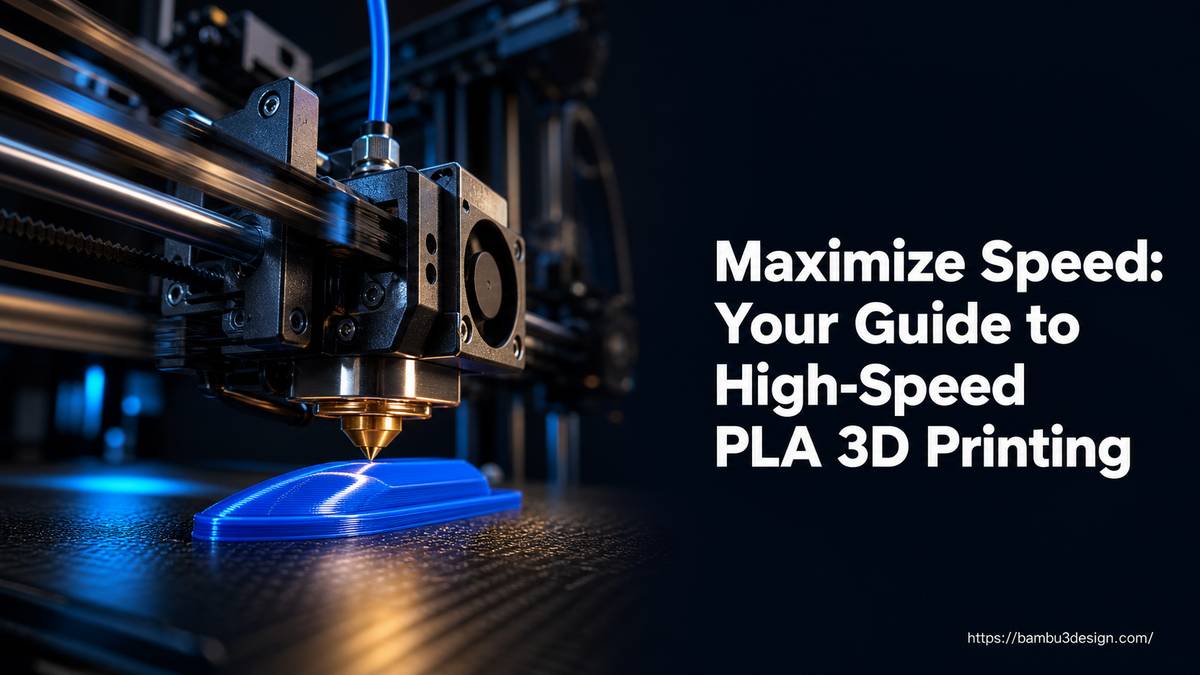
Maximize Speed: Your Guide to High-Speed PLA 3D Printing
One of the most common frustrations in 3D printing is the time it takes to produce a part. Whether you’re iterating through design revisions or tackling large-scale projects, waiting hours—or even days—for a print to finish can significantly slow down your workflow. This is where high-speed PLA filament steps in, offering a compelling solution for makers who prioritize efficiency without compromising quality.
High-speed PLA is engineered to reduce print times significantly, making it an ideal choice for rapid prototyping and other applications where quick turnaround is essential. This guide will explore what makes high-speed PLA unique, how it works, its advantages, and how to integrate it into your 3D printing setup effectively.
What Makes High-Speed PLA Different?
High-speed PLA is not just standard PLA printed faster; it’s a specially formulated material designed to perform optimally under high-speed extrusion conditions. The key to its performance lies in its altered polymer melt rheology. Specifically, high-speed PLA typically features:
- Higher Melt Flow Index (MFI): This indicates the ease with which the molten thermoplastic flows. A higher MFI means the material can flow more quickly through the hotend.
- Excellent Shear-Thinning Behavior: This is a non-Newtonian fluid property where viscosity decreases under shear stress. In practical terms, as the printer’s extruder pushes the plastic with greater force (i.e., faster), the material’s viscosity drops significantly. This allows for a smooth, consistent flow even at extreme volumetric speeds.
These properties enable the filament to melt and extrude more efficiently, preventing issues like clogs and inconsistent extrusion that can arise when attempting to print standard PLA at very high speeds.
The Science Behind Faster Prints
The ability of high-speed PLA to achieve faster print times is a result of a synergy between its material properties and the printing process:
- Reduced Viscosity Under Pressure: As the extruder accelerates, the increased shear force causes the high-speed PLA to become less viscous. This allows the material to flow smoothly and consistently through the nozzle at higher speeds.
- Rapid Heat Absorption: The formulation often includes additives or structural characteristics that enhance the filament’s ability to absorb heat quickly within the hotend. This ensures the material reaches its optimal melt temperature rapidly, even during fast passes.
- Optimized Cooling Characteristics: After extrusion, high-speed PLA is designed for rapid solidification. This quick cooling prevents layer deformation and maintains dimensional accuracy, even when subsequent layers are deposited almost immediately.
Combined, these factors allow high-speed PLA to be pushed to the limits of a 3D printer’s mechanical capabilities without risking print failures or requiring specialized hotend hardware modifications.
Key Advantages of Using High-Speed PLA
Integrating high-speed PLA into your workflow offers several significant benefits, particularly for specific applications:
- Significant Time Savings: The most prominent advantage is the reduction in print time. Depending on the model’s shape and size, you can expect to save anywhere from 20-40% on print duration. For a 10-hour print, this could mean saving 2-4 hours.
- Efficient Rapid Prototyping: For engineers, designers, and hobbyists needing to quickly test form, fit, or basic functionality, high-speed PLA accelerates the iterative design process. You can print multiple versions in less time, refining your design much faster.
- Consistent, Smooth Flow: Despite the increased speed, the optimized rheology helps maintain a smooth and consistent material flow, reducing the risk of underextrusion or clogs.
- Broad Compatibility: While high-speed PLA benefits from capable printers, it’s engineered to work without requiring specialized hotends or other dedicated hardware upgrades, making it accessible to a wider range of FDM printer users.
- Reduced Overall Project Time: By cutting down individual print times, high-speed PLA can dramatically shorten the overall timeline for projects that involve numerous parts or multiple design iterations.
High-Speed PLA vs. Standard PLA: When to Choose Which
Both high-speed PLA and standard PLA have their place in the 3D printing world. The choice depends on your project’s priorities:
-
Standard PLA:
- Best For: Creating stunning-looking objects, final aesthetic parts, models where surface quality and fine detail are paramount.
- Properties: Known for excellent surface finish, a wide range of colors, and good general printability at moderate speeds.
- Volumetric Flow (Example): A typical Prusament PLA might have a maximum volumetric flow of around 24 mm³/s.
-
High-Speed PLA:
- Best For: Rapid prototyping, large models, functional prints where speed is more critical than absolute finest surface aesthetics, and iterative design.
- Properties: Engineered for faster extrusion, consistent flow at higher speeds, and rapid solidification.
- Volumetric Flow (Example): Prusament PLA High Speed boasts a maximum volumetric flow of up to 28 mm³/s on capable machines like the Prusa CORE One+ (at 220 °C), offering a significant speed boost.
While high-speed PLA excels in speed, standard PLA often remains the go-to for prints where visual perfection is the ultimate goal. For initial prototypes, however, the time savings of high-speed PLA are invaluable.
Printer and Slicer Considerations for High-Speed PLA
To effectively utilize high-speed PLA, your printer and slicer settings play crucial roles:
Printer Compatibility
Modern 3D printers with robust kinematics and efficient hotend designs are best suited for high-speed PLA. While no “specialized hardware” might be required, printers designed for faster printing speeds will naturally leverage the filament’s properties more effectively. Examples include machines like the Prusa CORE One+ and similar high-performance FDM printers.
Slicer Settings
Optimizing your slicer settings is critical for successful high-speed printing. Programs like Bambu Studio, OrcaSlicer, or PrusaSlicer offer advanced controls for this. When preparing your G-code:
- Set Correct Volumetric Flow Rate: This is the most critical setting. Refer to the filament manufacturer’s recommendations. For example, Prusament PLA High Speed is rated for 28 mm³/s on compatible Prusa machines. Adjusting this in your slicer will dictate how fast your printer attempts to extrude material.
- Temperature Adjustments: You may need to slightly increase your hotend temperature to ensure proper melting at higher flow rates, though high-speed PLA is designed to absorb heat efficiently.
- Cooling Settings: Ensure your part cooling fan is running optimally. Rapid cooling is essential for instant solidification and preventing warpage or ghosting at higher speeds.
- Print Speeds: While volumetric flow is primary, adjust individual print speeds (perimeters, infill, solid infill) in your slicer to match or get close to the filament’s maximum volumetric flow rate, ensuring your printer isn’t artificially limited.
For prototyping services, such as ARENA2036, which often uses Prusa i3 MK3S printers, standard PLA or PETG are common choices, with PrusaSlicer being the recommended slicing software to ensure correct settings. When using high-speed PLA, ensure your printer profile is configured to take advantage of its increased flow capabilities.
General PLA Characteristics and Limitations
Regardless of whether it’s high-speed or standard, PLA (Polylactic Acid) maintains certain fundamental characteristics:
Advantages:
- Ease of Printing: PLA is generally very easy to print, with good bed adhesion and minimal warping, making it a favorite for beginners.
- Strength: It offers good strength for a wide range of functional and aesthetic parts, suitable for both large objects and tiny, intricate components.
- Low Thermal Expansion: This contributes to its ease of printing and dimensional stability.
Limitations:
- Low Temperature Resistance: PLA has a relatively low glass transition temperature, meaning it can soften or deform under moderate heat. It’s not suitable for applications requiring high-temperature resistance.
- Not for Long-Term Outdoor Use: Due to its low temperature resistance and susceptibility to UV degradation, PLA is not recommended for parts exposed to sunlight or outdoor conditions for extended periods.
Tips for Optimizing High-Speed PLA Prints
To get the best results with high-speed PLA, consider these practical tips:
- Calibrate Volumetric Flow: Don’t just rely on default settings. Perform a volumetric flow rate calibration test for your specific printer and filament to find its true maximum.
- Ensure Adequate Cooling: Good part cooling is paramount to solidify layers quickly and prevent print artifacts at high speeds.
- Monitor Your Printer: Especially when experimenting with new, higher speeds, observe the first few layers and overall print quality for any signs of issues like stringing, blobbing, or layer adhesion problems.
- Review Model Geometry: Simple geometries and less intricate designs tend to benefit more from high-speed printing. Very complex models with tiny features might still require slightly reduced speeds for optimal detail.
- Keep Filament Dry: All filaments, especially those pushed to their limits, perform better when kept dry. Moisture can lead to inconsistent extrusion and print defects.
Conclusion
High-speed PLA represents a significant leap forward in FDM 3D printing efficiency, particularly for those engaged in rapid prototyping and iterative design. By leveraging advanced polymer rheology, these filaments enable faster print times (up to 20-40% savings) without demanding specialized hardware modifications. While standard PLA still shines for aesthetic final prints, high-speed PLA provides a powerful tool for accelerating your development cycles and bringing your ideas to life faster than ever before. Understanding its unique properties and optimizing your slicer settings will unlock the full potential of this game-changing material, making your 3D printing workflow more productive and responsive to your needs.