
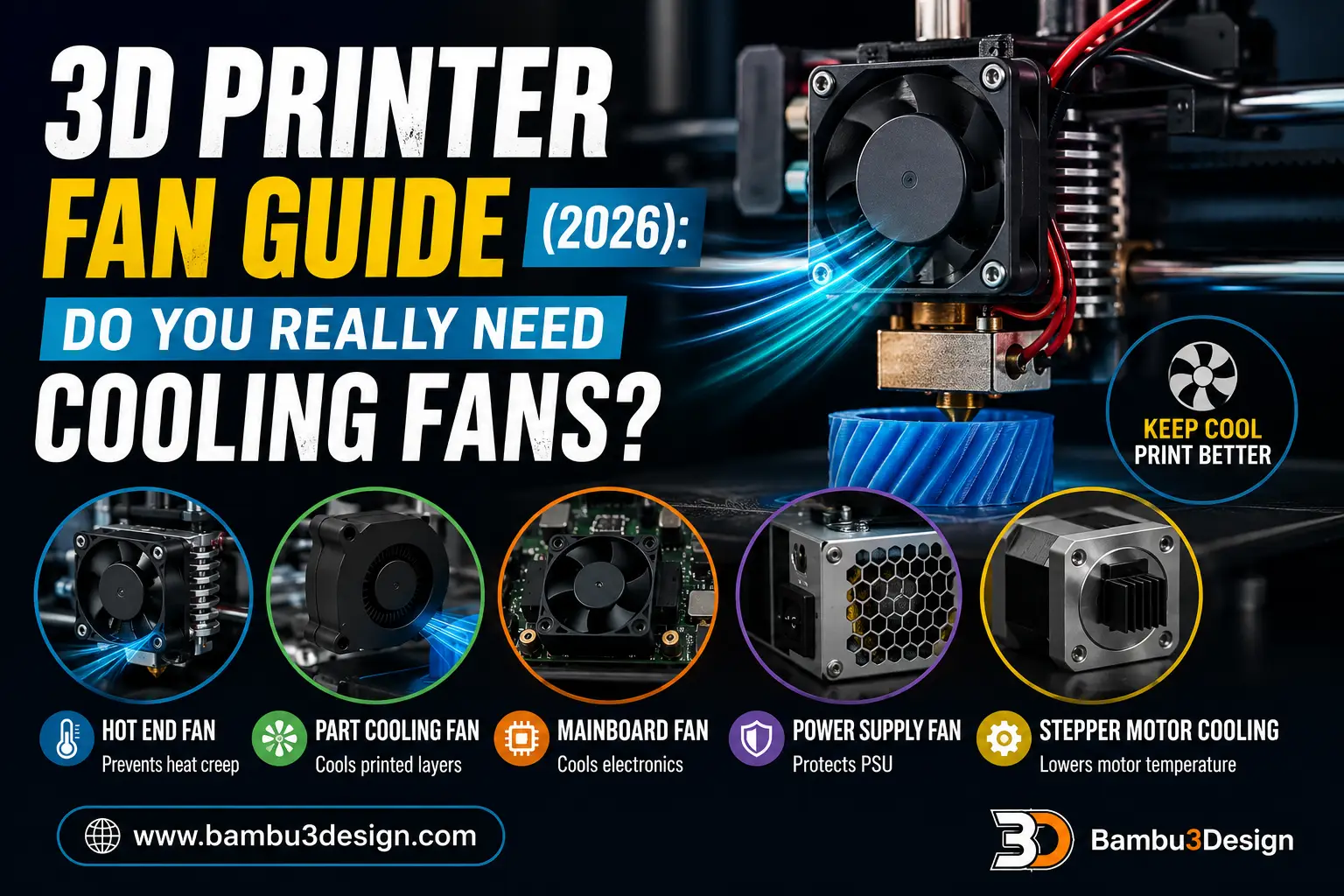
3D printer fans are one of the most overlooked components of an FDM printer, yet they play a critical role in print quality, reliability, and hardware longevity. While most users focus on upgrading nozzles, extruders, or build plates, proper cooling is often what separates successful prints from failed ones.
Not every fan inside a 3D printer serves the same purpose. Some protect sensitive electronics, some prevent filament jams, while others directly influence surface quality and layer adhesion. Understanding what each fan does—and when it is actually needed—can help you troubleshoot printing issues and improve overall performance.
In this guide, we’ll explain every major fan found in an FDM 3D printer, when it should be used, and whether upgrading it is worthwhile.
Why Do 3D Printers Need Fans?
Every FDM 3D printer generates heat. The hot end melts filament at temperatures between 180°C and 300°C, while electronic components continuously consume electrical power that also produces heat.
Without proper cooling, excessive temperatures can lead to:
- Poor print quality
- Heat creep
- Clogged nozzles
- Layer deformation
- Driver overheating
- Electronic failures
- Reduced component lifespan
Different parts of the printer require different cooling strategies, which is why most machines use several separate fans.
Types of 3D Printer Fans
Most desktop FDM printers include up to five different cooling systems:
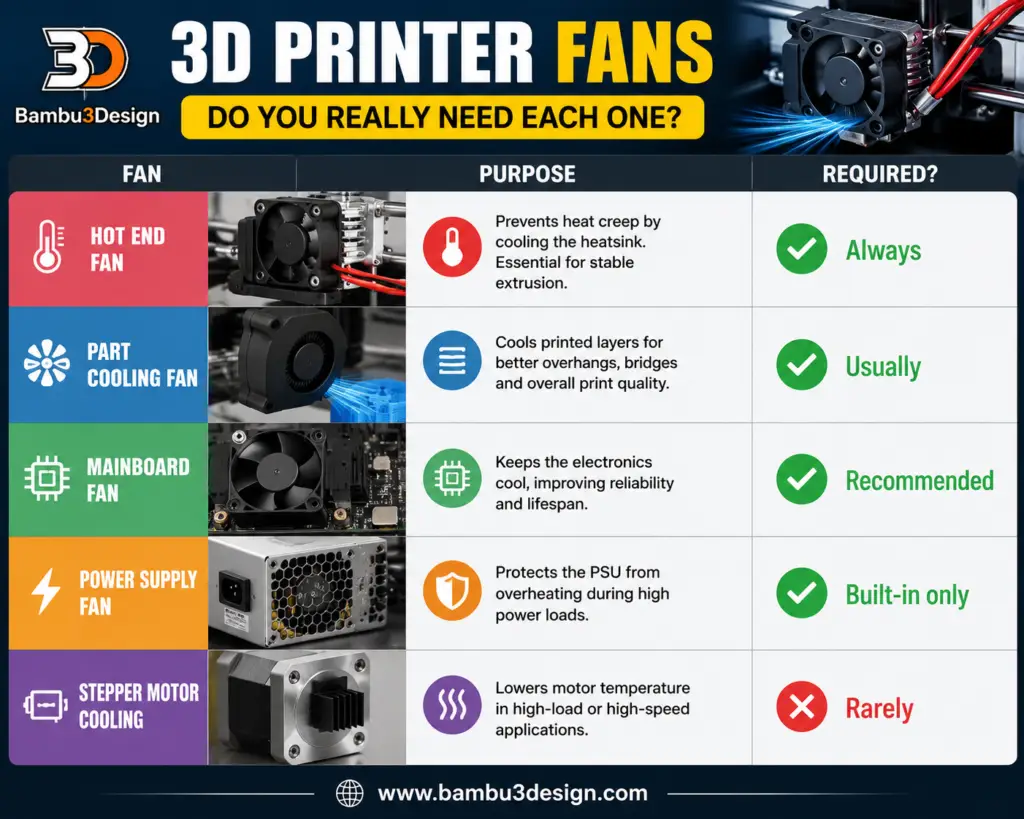
Let’s look at each one in detail.
1. Mainboard Cooling Fan
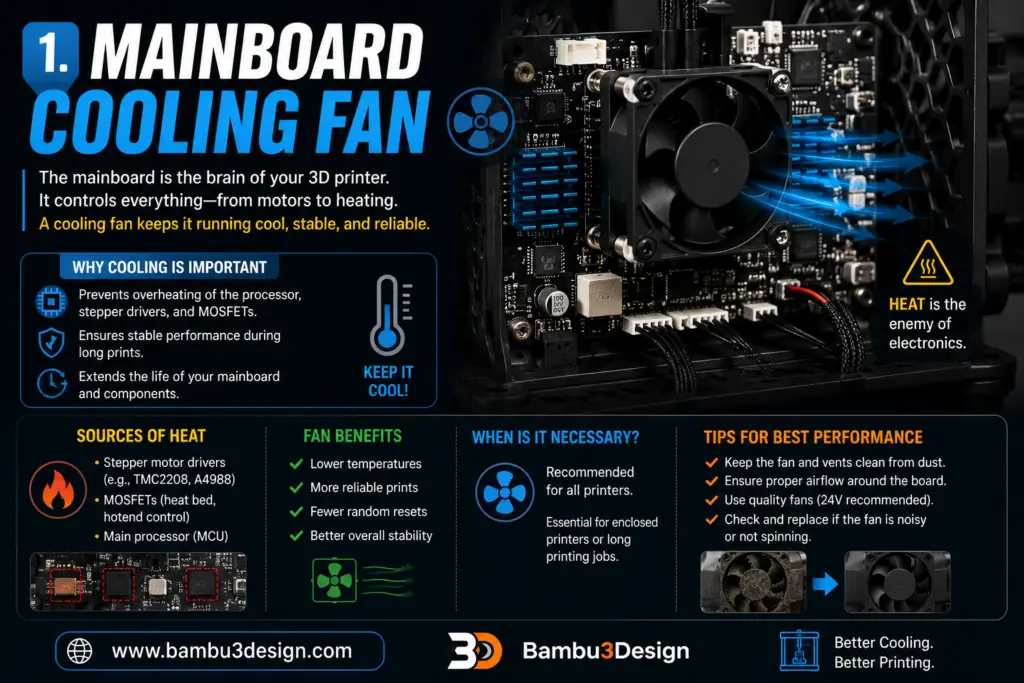
The printer’s control board contains the processor, stepper motor drivers, MOSFETs, and power management circuits. These components constantly generate heat while the printer is operating.
Without adequate airflow, temperatures can rise enough to cause:
- Missed motor steps
- Driver shutdowns
- Random printer resets
- Shortened electronics lifespan
Most modern printers include a dedicated fan that continuously moves air across the mainboard heatsinks.
Is it necessary?
Yes.
Even if your printer seems to work without one, continuous cooling significantly improves reliability during long prints.
2. Hot End Cooling Fan
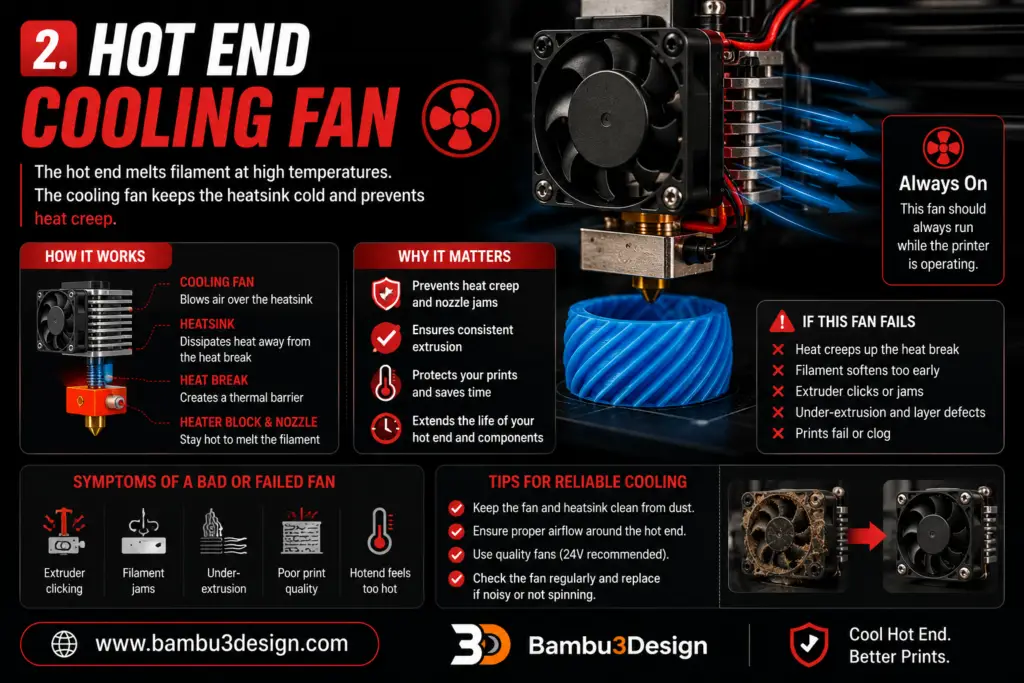
The hot end is designed to melt filament only inside the heater block and nozzle.
Everything above the heat break should remain relatively cool.
If this area becomes too hot, filament softens too early, creating a problem called heat creep.
Symptoms include:
- Extruder clicking
- Filament jams
- Under-extrusion
- Complete nozzle blockage
The hot end cooling fan continuously blows air across the heatsink to prevent this.
Is it necessary?
Absolutely.
A failed hot end fan is one of the fastest ways to ruin a long print.
3. Part Cooling Fan
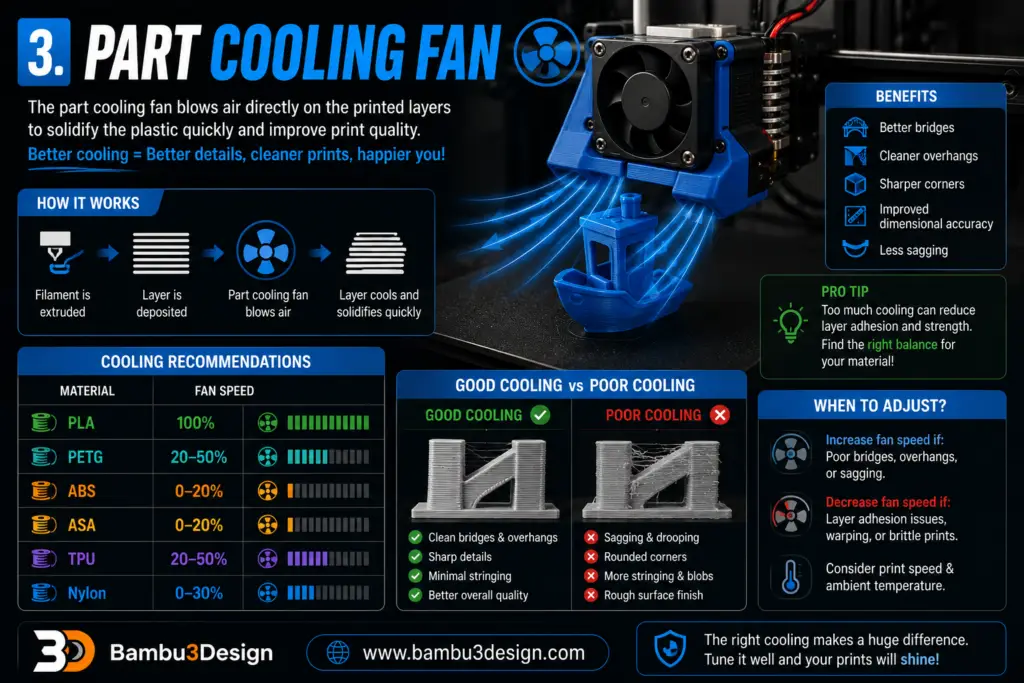
Unlike the hot end fan, the part cooling fan blows air directly onto freshly extruded plastic.
Its purpose is to solidify each layer quickly before the next layer is deposited.
Benefits include:
- Better bridges
- Cleaner overhangs
- Sharper corners
- Improved dimensional accuracy
- Less sagging
However, not every filament likes strong cooling.
Cooling recommendations
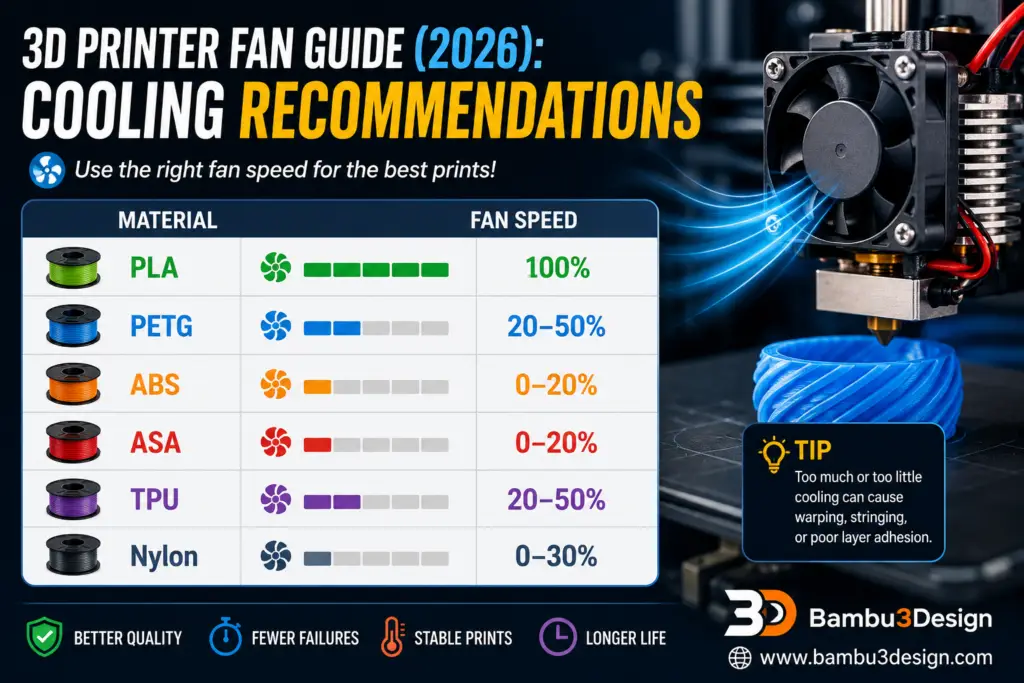
PLA benefits greatly from cooling, while ABS and ASA often warp if cooled too aggressively.
4. Power Supply Fan
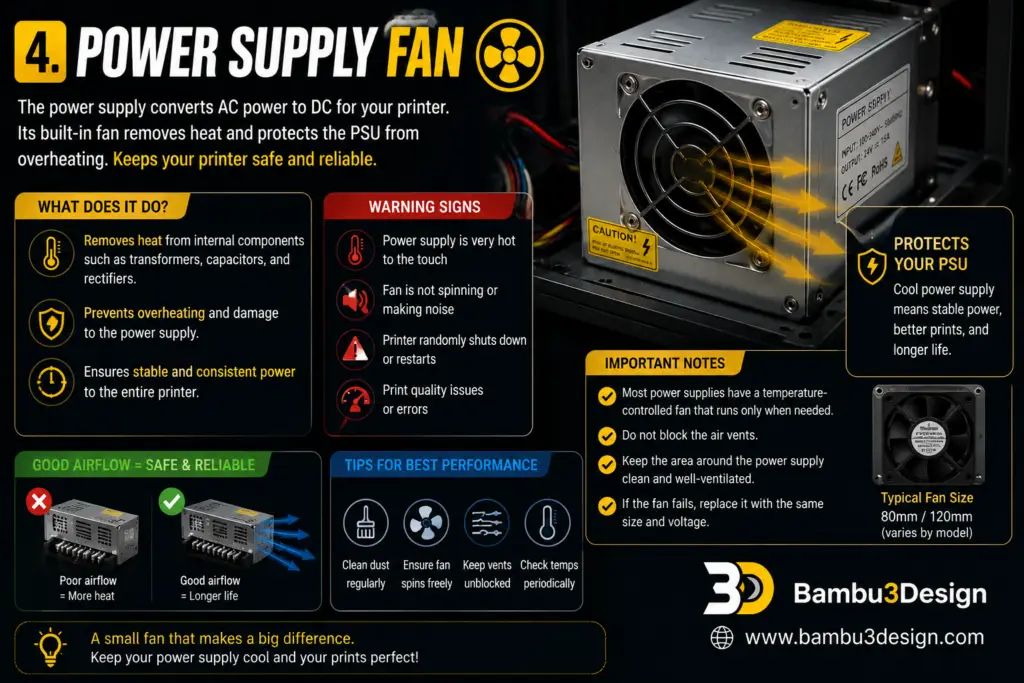
The power supply converts household AC electricity into low-voltage DC power for your printer.
Its internal components naturally generate heat.
Most quality power supplies include their own temperature-controlled fan.
Should you modify it?
Generally, no.
Power supplies are designed with specific airflow requirements, and replacing or removing the fan may reduce safety or void the warranty.
5. Stepper Motor Cooling
Stepper motors convert electrical energy into movement.
Although they become warm during operation, they are designed to withstand relatively high temperatures.
Only in demanding applications—such as high-speed CoreXY printers or powerful direct-drive extruders—might additional cooling be beneficial.
Is it necessary?
For most hobby printers:
No.
A heatsink alone is usually sufficient if extra cooling is needed.
Which Fan Is the Most Important?
If one fan deserves the highest priority, it is the hot end cooling fan.
Without it:
- Heat creep develops quickly.
- Filament softens prematurely.
- Extrusion becomes inconsistent.
- Prints often fail within minutes.
The second most important is the part cooling fan, especially when printing PLA.
Common Cooling Problems
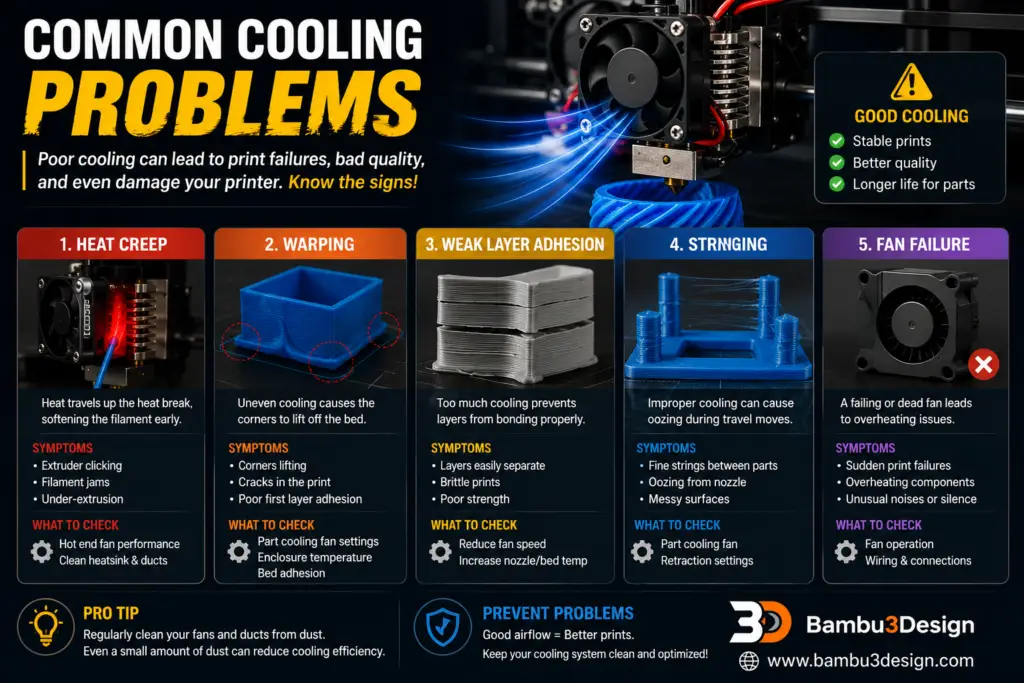
Heat Creep
Occurs when heat travels upward into the cold side of the hot end.
Common symptoms include:
- Extruder skipping
- Filament swelling
- Frequent clogs
Warping
Too little cooling—or uneven cooling—can cause corners to lift from the build plate.
This is particularly common with ABS and ASA.
Weak Layer Adhesion
Excessive cooling may prevent layers from bonding properly.
Lowering fan speed often improves strength when printing engineering materials.
Stringing
Poor cooling sometimes allows molten plastic to continue flowing after travel moves.
Proper fan settings can reduce stringing alongside retraction tuning.
Should You Upgrade Your Fans?
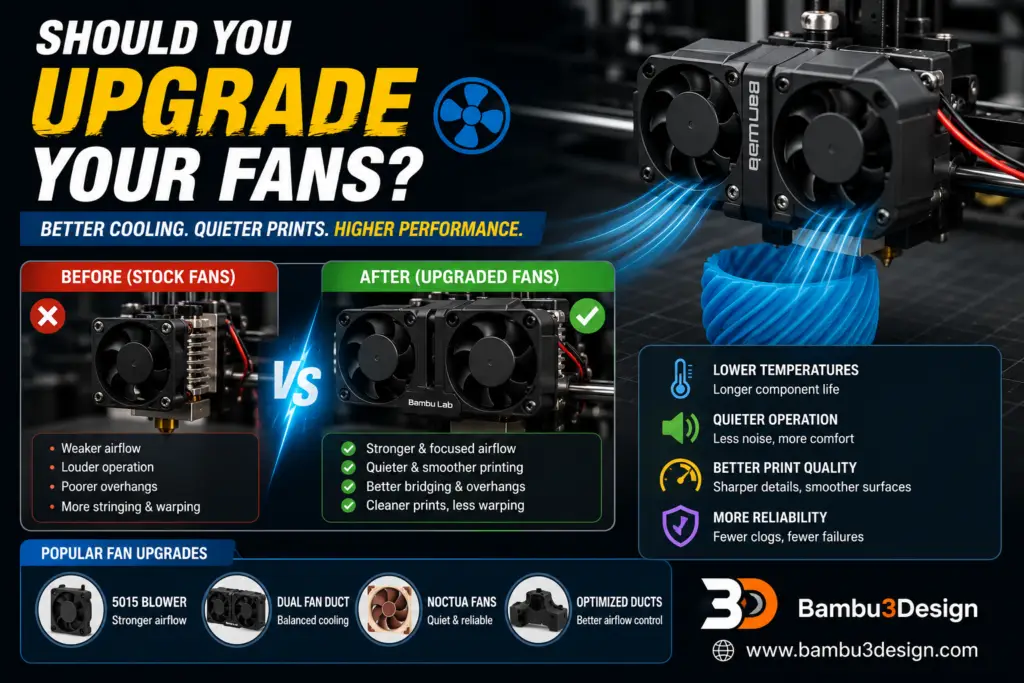
Upgrading fans can improve both print quality and noise levels.
Popular upgrades include:
- 5015 blower fans for stronger part cooling
- Dual-fan ducts for symmetrical airflow
- Quiet premium fans for reduced noise
- Optimized printed fan ducts for better airflow distribution
However, upgrading only makes sense if airflow is actually improved. Simply installing a larger fan without an efficient duct may provide little benefit.
Frequently Asked Questions
Can I print PLA without a part cooling fan?
Simple models may print successfully, but bridges, overhangs, and fine details usually suffer.
Why is the hot end fan always running?
Its job is to prevent heat creep, so continuous operation is normal.
Why is my printer louder after upgrading the fan?
Higher airflow usually produces more noise. Choosing quality fans can help balance cooling performance and sound levels.
Should I replace the power supply fan?
Only if the original fan has failed, and always use a compatible replacement.
Final Thoughts
Cooling plays a vital role in every stage of the 3D printing process. While the hot end fan protects the extrusion system, the part cooling fan determines print quality, and the mainboard fan keeps sensitive electronics operating reliably during long prints.
For most users, maintaining clean, functional fans is more important than upgrading them. Regularly removing dust, checking airflow, and replacing worn bearings can significantly improve both print quality and printer longevity.
Whether you’re printing PLA prototypes, ABS functional parts, or advanced engineering materials, understanding how each cooling fan works will help you achieve more consistent and reliable results.






