As makers, we constantly seek new ways to bring our designs to life and add a professional finish to our creations. While 3D printing excels at fabricating three-dimensional objects layer by layer, it often requires additional steps for vibrant, permanent surface decoration. This is where desktop UV printing emerges as a powerful complementary technology.
Often confused with 3D printing due to the ‘UV’ and ‘printer’ terminology, UV printing is distinct. It’s a surface decoration method that allows you to apply full-color, highly detailed graphics directly onto a wide range of objects, instantly curing the ink with ultraviolet light. This guide will clarify what UV printing is, how it works, its advantages, and how it can elevate your projects, especially when paired with your 3D printing workflow.
What is UV Printing?
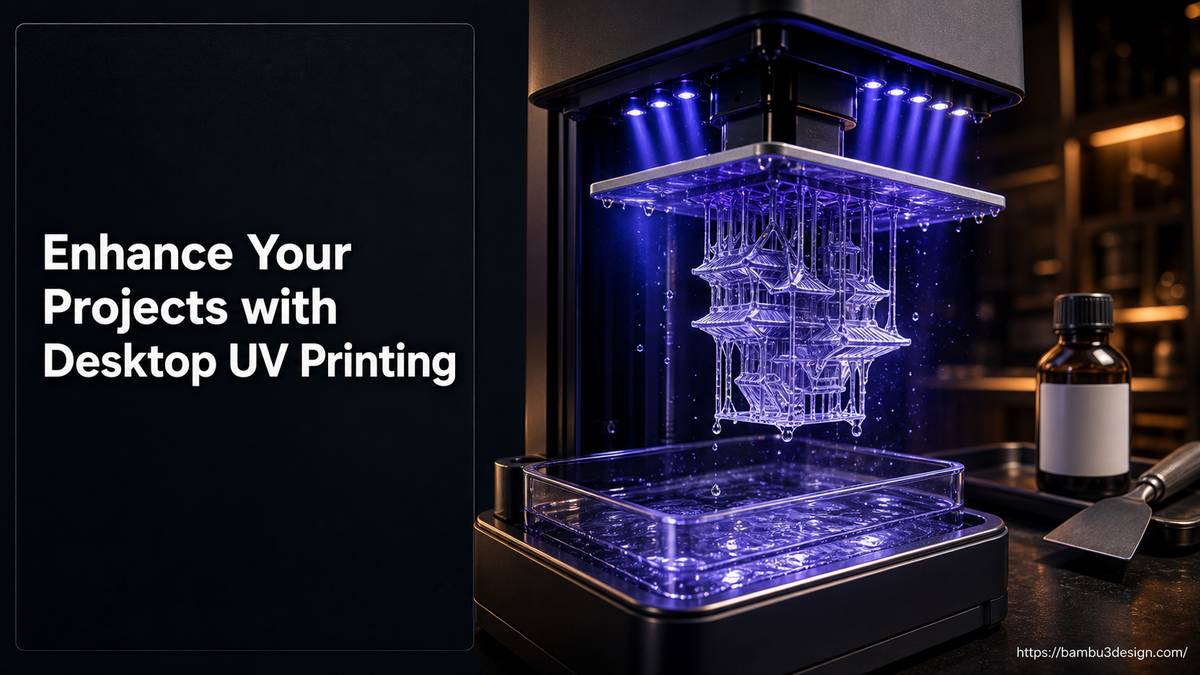
UV printing is a form of digital inkjet printing that uses ultraviolet (UV) lights to cure or dry ink as it is printed. Unlike traditional inkjet printers that use heat or air to dry ink, UV printers employ a special type of ink (UV-curable ink) that solidifies almost instantly when exposed to concentrated UV light. This process creates a durable, vibrant finish directly on the surface of an object.
Crucially, UV printing is about applying a two-dimensional or slightly textured image onto an existing object, not building the object itself. Think of it as advanced, direct-to-object personalization technology.
How Desktop UV Printers Work
The process of using a desktop UV printer like the eufyMake UV Printer E1 is relatively straightforward, allowing for detailed customization:
- Design Preparation: Create your design using graphic software. Ensure the resolution is appropriate for the desired print quality.
- Object Preparation: Clean the surface of the object to be printed on. Some materials may require a primer for optimal ink adhesion, though many substrates can be printed on directly.
- Loading the Object: Place the object onto the printer’s flatbed or secure it with specialized attachments, such as a rotary printing attachment for cylindrical items (e.g., bottles, mugs).
- Printing: The printer’s print heads jet microscopic droplets of UV-curable ink onto the object’s surface. Immediately after the ink is deposited, integrated UV lamps pass over the ink, curing it instantly.
- Curing: The instant curing means the ink dries immediately, preventing smudging and allowing for layering of colors or even texture effects if desired.
- Finishing (Optional): For enhanced durability or special effects, a UV DTF (Direct to Film) laminating machine can be used to create transfers that are then applied to the object, offering flexibility for irregular surfaces.
Key Advantages of UV Printing
UV printing offers several compelling benefits that make it an attractive technology for makers and small businesses:
- Vibrant and Durable Finishes: UV inks produce vivid, opaque colors that are highly resistant to scratching, fading, and water. The instant curing process contributes to a robust final product.
- Versatile Substrate Compatibility: UV printers can print on an exceptionally wide range of materials, including plastics (like those used in 3D printing), glass, metal, wood, ceramics, leather, and more. This broad compatibility opens up numerous customization possibilities.
- Instant Curing and Efficiency: The immediate drying of UV ink eliminates drying time, making the production process faster and more efficient, especially for batch customization.
- High-Resolution Detail: UV inkjet technology allows for incredibly fine detail and crisp text, perfect for logos, intricate patterns, and photorealistic images.
- Environmentally Friendly Inks: UV inks contain fewer volatile organic compounds (VOCs) compared to some traditional ink types, contributing to a safer working environment.
- Direct-to-Object Printing: The ability to print directly onto finished products eliminates the need for labels or decals in many cases, providing a seamless, integrated look.
Applications for Makers and 3D Printing Enthusiasts
For those in the 3D printing community, UV printing is not a replacement but a powerful enhancement tool:
- Personalizing 3D Prints: Add full-color logos, intricate designs, or realistic textures directly onto your FDM, SLA, or SLS 3D printed objects. This is ideal for branding prototypes, customizing functional parts, or adding aesthetic flair to models.
- Product Customization: Create personalized phone cases, keychains, signage, promotional items, or small merchandise with unique designs. The rotary printing attachment, common with desktop UV printers like the eufyMake E1, is perfect for customizing cylindrical objects such as water bottles or pens.
- Creating High-Quality Decals and Transfers: With accessories like a UV DTF laminating machine, you can produce durable, peel-and-stick transfers that can be applied to objects, even those with complex curves or irregular surfaces that are difficult to print on directly.
- Prototyping and Short-Run Production: Quickly apply branding and graphics to prototypes for client presentations or produce small batches of customized products without the overhead of traditional manufacturing methods.
UV Printing vs. 3D Printing: A Clear Distinction
It’s vital to understand that UV printing and 3D printing (like FDM, SLA, or SLS) are fundamentally different technologies with distinct purposes. While both involve \”printers\” and sometimes \”UV light,\” their functions diverge significantly.
Here’s a comparison to clarify:
| Feature | Desktop UV Printing (e.g., eufyMake E1) | FDM 3D Printing | SLA 3D Printing | SLS 3D Printing |
| :—————– | :————————————— | :——————————————— | :——————————————— | :——————————————— |
| Function | Surface decoration, customization | Builds 3D objects layer by layer | Builds 3D objects layer by layer | Builds 3D objects layer by layer |
| Method | Inkjet deposition, UV curing | Extrusion of molten plastic filament | Curing liquid resin with UV light | Sintering powder with a laser |
| Output | 2D/3D graphics on existing objects | Functional or aesthetic 3D parts | High-detail 3D parts, smooth finish | Complex, strong functional parts |
| Materials | UV-curable inks | Thermoplastic filaments (PLA, PETG, ABS, etc.) | Photopolymer resins | Polymer powders (Nylon, TPU) |
| Main Use Case | Product branding, personalization, vivid color | Prototyping, functional parts, hobby models | Detailed prototypes, dental, jewelry molds | End-use parts, complex geometries |
Furthermore, technologies like Full Spectrum printing mentioned in the context of multicolor 3D prints, while also enabling multi-color outputs, do so by using clever layer alternation and multiple filaments within an FDM 3D printer. This is an additive method for building multi-colored objects, not a surface decoration technique like UV inkjet printing.
The eufyMake UV Printer E1: A Desktop Example
The eufyMake UV Printer E1 is an example of a desktop UV printer designed for makers and small businesses. It highlights the capabilities of this technology by offering features such as:
- Direct-to-Object Printing: The core functionality to print directly onto various items.
- Rotary Printing Attachment: An essential accessory for customizing cylindrical objects, expanding the range of printable items significantly.
- UV DTF Laminating Machine: An additional tool to create durable, high-quality transfers for application on challenging or irregular surfaces.
These features illustrate the versatility and practical application of desktop UV printing for creative and commercial endeavors.
Maximizing Your UV Printing Results
To get the best out of your UV printing projects, consider these tips:
- Surface Preparation: Always ensure the object’s surface is clean, dry, and free of oils or dust. For some challenging materials, a specific primer might enhance ink adhesion and durability.
- Test Prints: Before committing to a final print on a valuable item, perform test prints on scrap material of the same type. This allows you to fine-tune color accuracy and adhesion settings.
- Maintenance: Regular cleaning of print heads and UV lamps, as per the manufacturer’s guidelines, is crucial for consistent print quality and extending the life of your printer.
- Ventilation: Ensure adequate ventilation in your workspace when operating UV printers, as UV inks can have a distinct odor, and UV light safety should be observed.
Conclusion
Desktop UV printing represents an exciting frontier for makers looking to add a professional, vibrant, and durable finish to their projects. By understanding its capabilities and how it differs from traditional 3D printing, you can leverage this technology to customize 3D printed parts, personalize products, and explore new avenues for creative expression. For anyone seeking to elevate the aesthetic and perceived value of their creations, incorporating UV printing into their toolkit offers a significant advantage, transforming good projects into truly exceptional ones.