
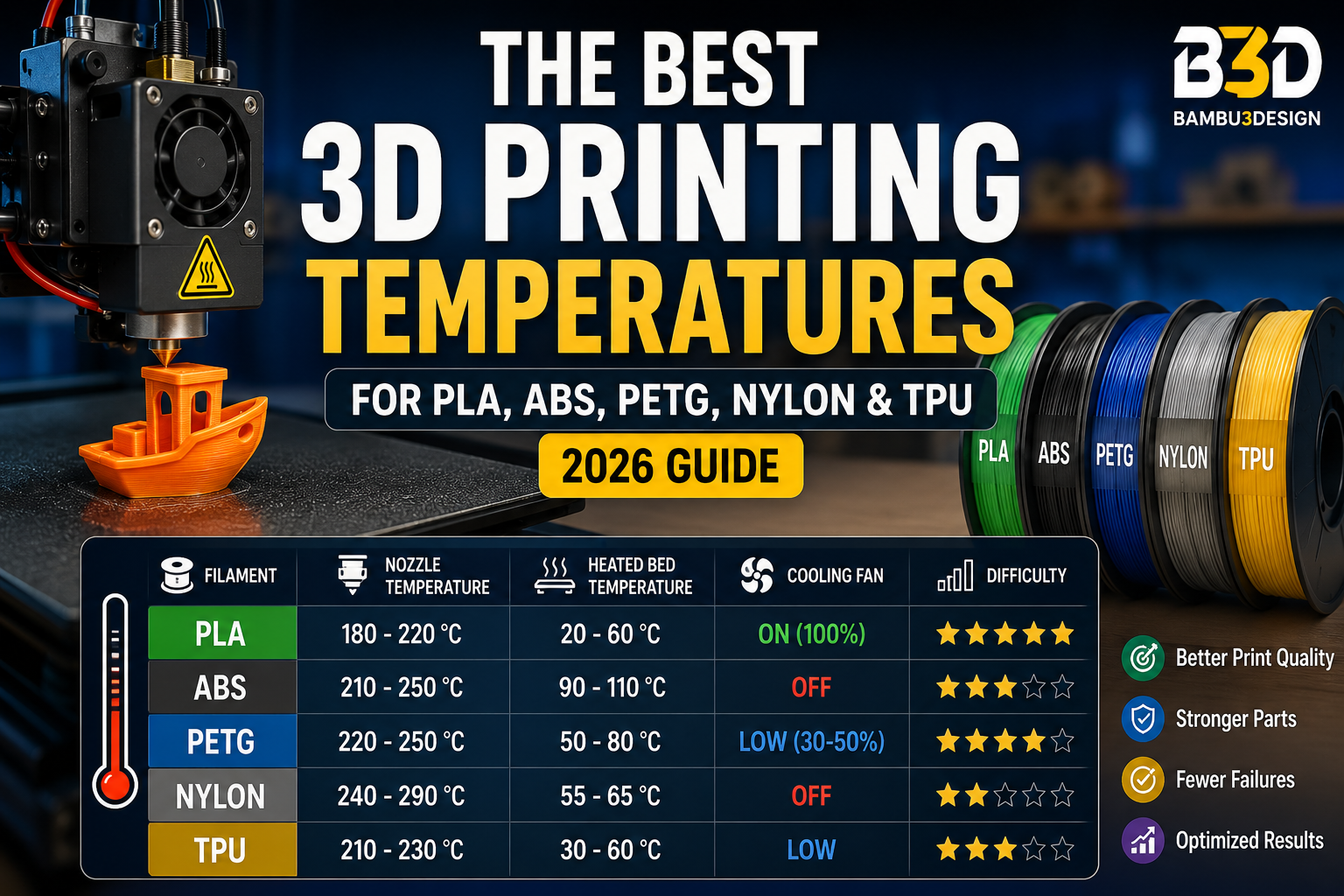
Choosing the correct printing temperature is one of the most important factors in achieving high-quality 3D prints. Every filament has unique thermal properties, meaning the ideal nozzle and heated bed temperatures vary depending on the material. Even small temperature differences can affect layer adhesion, surface finish, dimensional accuracy, and overall print success.
In this guide, we’ll explain the best printing temperatures for the most popular 3D printing filaments and provide practical recommendations to help you avoid common printing problems.
Why Printing Temperature Matters
Each thermoplastic has two important thermal characteristics:
- Glass Transition Temperature (Tg): The point where the material changes from rigid to flexible.
- Melting Temperature (Tm): The point where the material becomes fully molten.
For successful printing, the nozzle temperature should be high enough to melt the filament properly while maintaining controlled extrusion. Using the correct heated bed temperature also helps reduce warping and improves first-layer adhesion
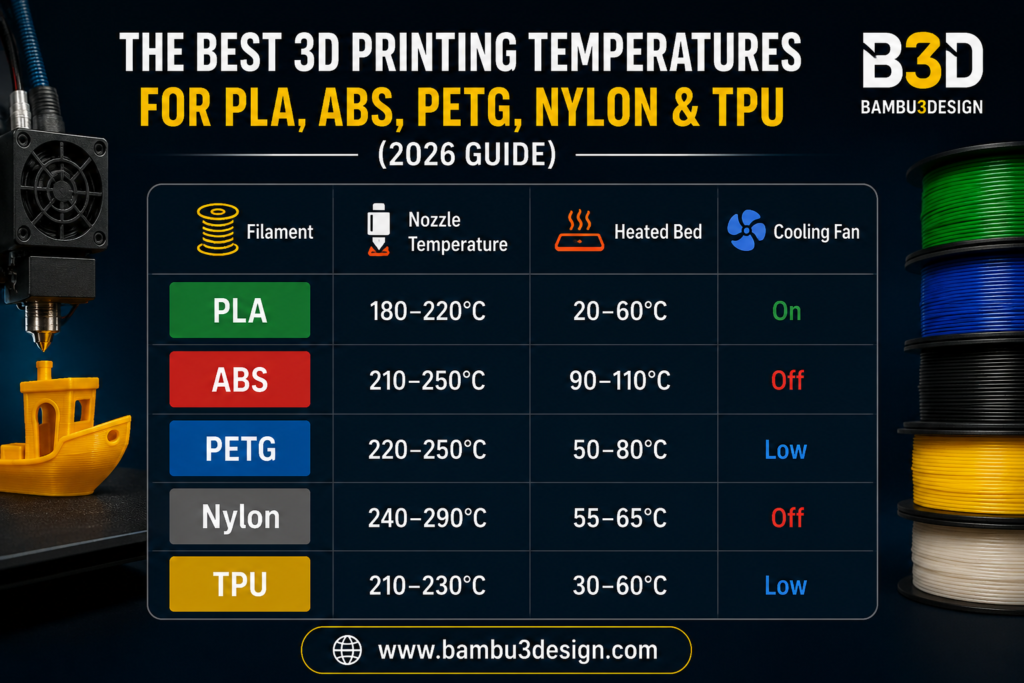
Recommended 3D Printing Temperatures
PLA Printing Temperature
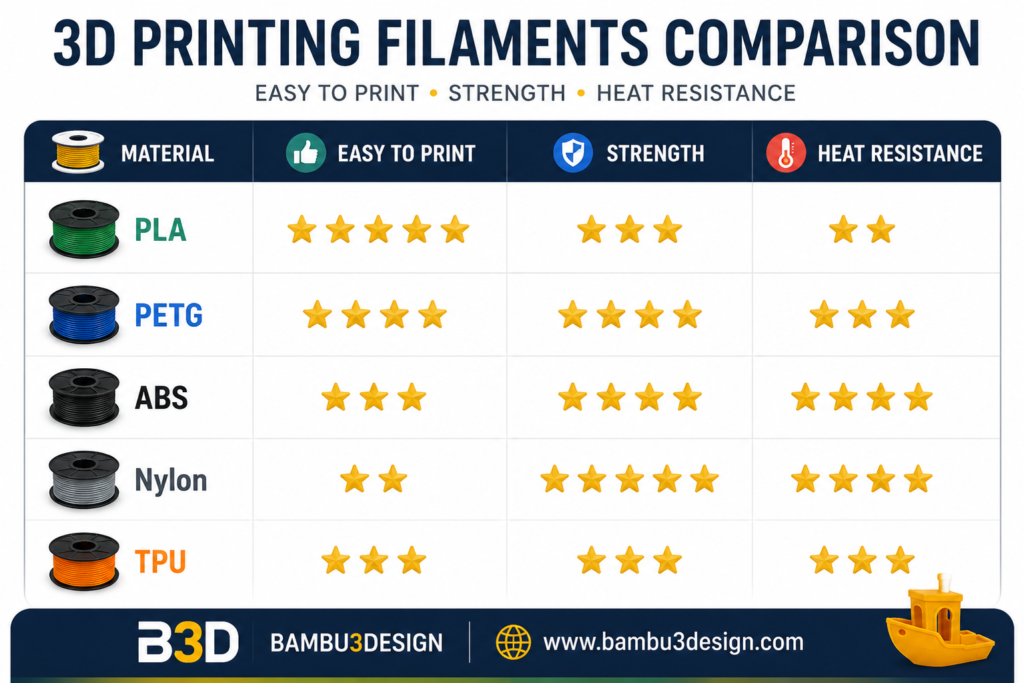
PLA is the easiest and most beginner-friendly filament available today. It offers excellent print quality with minimal warping and works well on almost every FDM printer.
Recommended Settings
- Nozzle: 180–220°C
- Heated Bed: 20–60°C
- Cooling Fan: 100%
Tips
- Start around 200°C.
- Use cooling fans for the best surface finish.
- Avoid bed temperatures above 70°C.
ABS Printing Temperature
ABS is stronger and more heat resistant than PLA but is significantly more difficult to print because it shrinks while cooling.
Recommended Settings
- Nozzle: 210–250°C
- Heated Bed: 90–110°C
- Cooling Fan: Off
Tips
- Use an enclosed printer whenever possible.
- Prevent drafts around the printer.
- High bed temperatures help reduce warping.
PETG Printing Temperature
PETG combines the ease of PLA with much of the strength of ABS. It has become one of the most popular engineering filaments.
Recommended Settings
- Nozzle: 220–250°C
- Heated Bed: 50–80°C
- Cooling Fan: 30–50%
Tips
- Apply glue stick or painter’s tape to improve bed adhesion.
- Avoid excessive cooling to maximize layer bonding.
Nylon Printing Temperature
Nylon is an engineering-grade material known for its toughness, flexibility, and wear resistance.
Recommended Settings
- Nozzle: 240–290°C
- Heated Bed: 55–65°C
- Cooling Fan: Off
Tips
- Use an all-metal hotend.
- Dry the filament before printing.
- Apply glue to improve bed adhesion.
TPU Printing Temperature
TPU is a flexible filament ideal for printing soft parts such as phone cases, seals, and vibration dampers.
Recommended Settings
- Nozzle: 210–230°C
- Heated Bed: 30–60°C
- Cooling Fan: Low
Tips
- Print slowly (20–40 mm/s).
- Disable or reduce retraction.
- Use a direct-drive extruder if possible.
Common Temperature Problems
Nozzle Too Cold
- Under-extrusion
- Poor layer adhesion
- Weak parts
- Rough surface finish
Nozzle Too Hot
- Stringing
- Oozing
- Blobs
- Loss of detail
Bed Too Cold
- Poor first-layer adhesion
- Warping
- Corner lifting
Bed Too Hot
- Elephant’s foot
- Difficult part removal
Quick Temperature Reference
Final Thoughts
Finding the perfect printing temperature often requires small adjustments based on your specific printer, filament brand, printing speed, and ambient conditions. Start with the recommended ranges in this guide and fine-tune your settings to achieve the best possible print quality.
Whether you’re printing with PLA, ABS, PETG, Nylon, or TPU, proper temperature control is one of the simplest ways to improve print reliability and produce stronger, cleaner, and more accurate parts.
Learn more 3D printing tutorials and guides at:






