
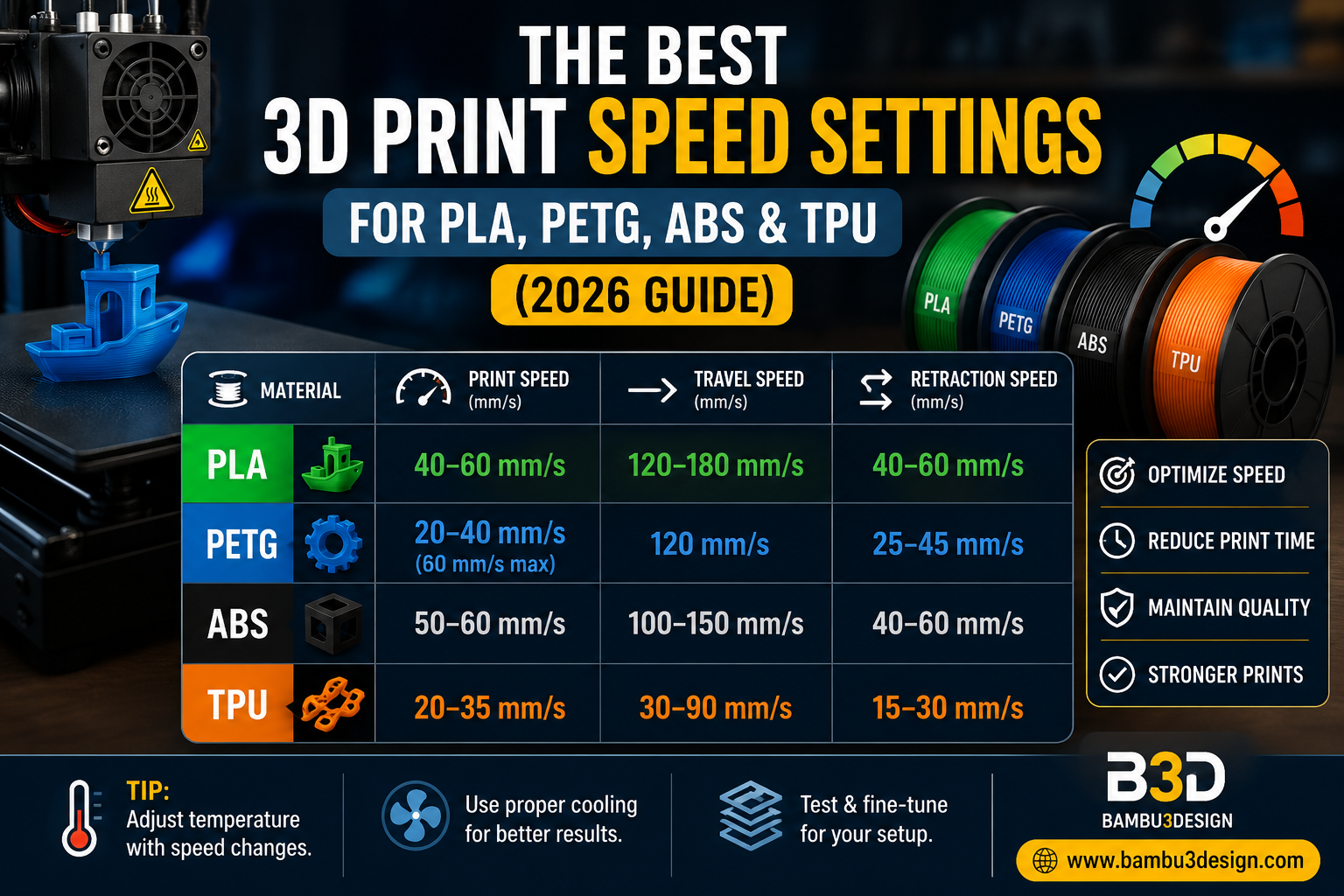
Print speed is one of the most important settings in FDM 3D printing. The right speed can significantly reduce print time while maintaining excellent print quality. However, printing too fast or too slowly can result in weak parts, poor surface finish, stringing, ringing, or even complete print failure.
This guide explains the recommended print speeds for the most popular 3D printing materials and helps you find the ideal balance between speed and quality.
Why Print Speed Matters
Print speed determines how fast your printer moves while extruding filament.
Finding the correct speed helps improve:
- Print quality
- Layer adhesion
- Surface finish
- Dimensional accuracy
- Printing time
Every printer, filament brand, nozzle size, and slicer profile behaves differently, so these values should be considered starting points rather than fixed rules.
Recommended Print Speeds
PLA
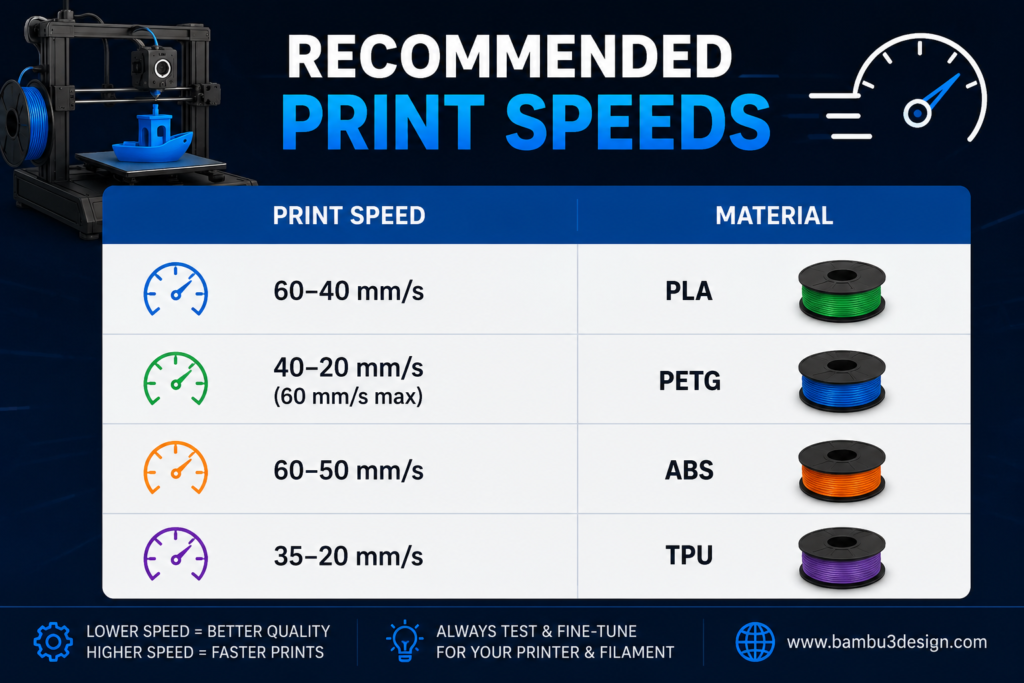
PLA is the easiest material to print and generally performs well at medium speeds.
Recommended
- Print Speed: 40–60 mm/s
Printing faster than 80 mm/s may reduce part strength because there is less time for proper layer bonding.
PETG
PETG is more sensitive to speed than PLA.
Recommended
- Print Speed: 20–40 mm/s
- Maximum: 60 mm/s
Start slow and gradually increase speed until you find the best balance between quality and print time.
ABS
ABS requires slower and more controlled printing to maximize layer adhesion and minimize warping.
Recommended
- Initial Layers: 20 mm/s
- Normal Printing: 50–60 mm/s
Using an enclosed printer is strongly recommended.
TPU
TPU is flexible and requires slow movement through the extruder.
Recommended
- Print Speed: 20–35 mm/s
Higher speeds increase the risk of:
Poor surface quality
Jamming
Under-extrusion
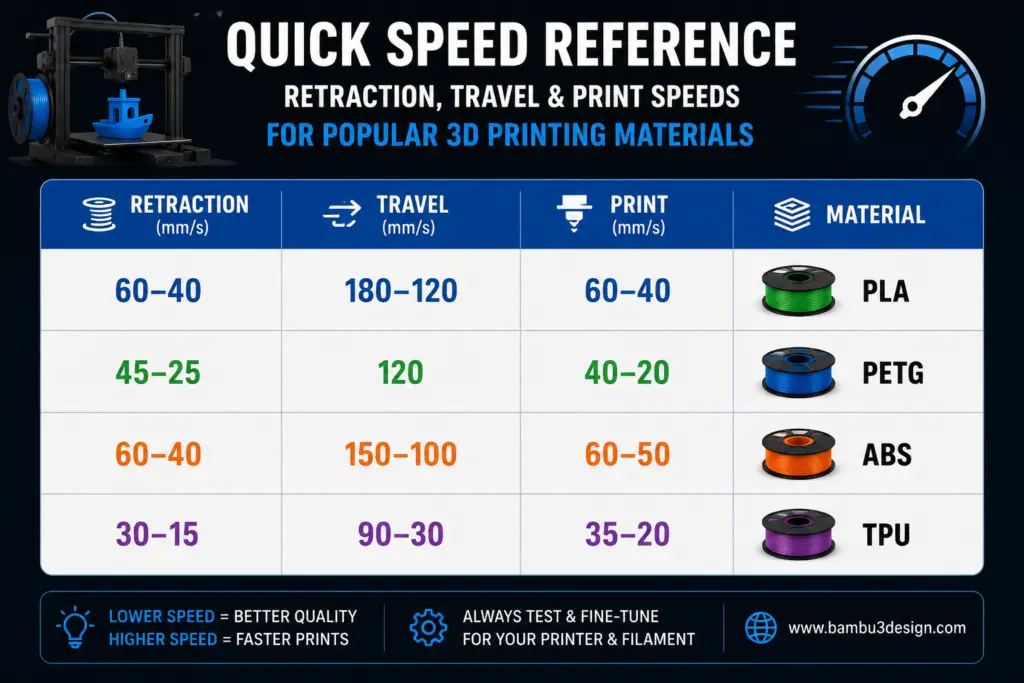
Recommended Travel Speed
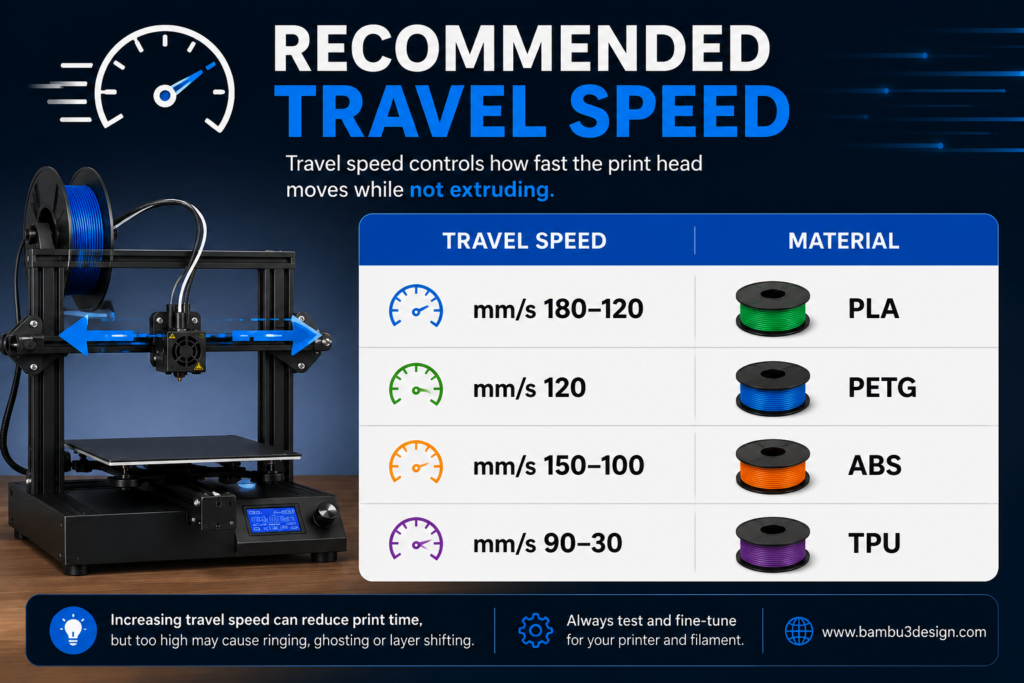
Increasing travel speed can shorten print time, but excessive speeds may introduce ringing, ghosting, or layer shifting.
Recommended Retraction Speed
Other Settings That Affect Printing Speed
Besides print speed, several slicer settings influence overall print time and quality:
Layer Height
Higher layer heights reduce print time but also reduce surface detail.
Infill Density
Higher infill produces stronger parts but increases printing time.
Wall Count
More walls improve strength but require additional printing time.
Temperature
Printing temperature must match the selected speed.
- Faster printing generally requires a slightly higher nozzle temperature.
- Slower printing may allow lower temperatures while maintaining good extrusion.
Quick Speed Reference
Final Thoughts
There is no universal print speed that works for every printer or filament. The ideal settings depend on your hardware, nozzle size, filament quality, and slicer configuration. Start with the recommended ranges in this guide, then fine-tune your settings through test prints to achieve the best combination of speed, strength, and print quality.
Learn more 3D printing tutorials and guides at:






